Phone Clip-On Microscope for 3D Print Flow Rate Calibration
1 in stock
ETA:
- 90-Day Warranty
- 30-Day Return
- 7-Day Delivery

Phone Clip-On Microscope Overview
Product Description
This microscope is designed to help 3D printer users manually verify flow calibration results when automatic flow calibration is insufficient or unavailable—such as on X2D remote-feeding setups. It excels when working with third-party filament, third-party nozzles or modified printing configurations. By magnifying printed flow test samples, it reveals line width, micro-gaps, squeezed edges, ridges, over-extrusion, under-extrusion, and surface inconsistencies far more clearly than the naked eye. Attach it to your smartphone for detailed photo and video documentation, or detach and inspect directly for quick printer-side checks. At just 38 g, it fits easily in your toolkit, stays near your printer, or integrates into QC workflows. While not a calibrated measuring instrument, it serves as a practical visual aid for faster flow-rate decisions, manual calibration verification, and 3D printed sample inspection.
Why Auto Flow Calibration Is Not Enough
Many users blame wet filament or leveling when a print looks sloppy, unaware that the real culprit is incorrect Flow Ratio (Flow Rate) or K-Value (Pressure Advance). Automatic calibration often struggles with third-party filaments or custom hotends. Don't trust the auto-sensors blindly—inspect the physical print itself:
- Top-Surface Gaps (Under-extrusion): Tiny gaps between solid lines mean your Flow Ratio is too low, leaving prints weak and unfinished.
- Rough, Plowing Ridges (Over-extrusion): Nozzle drag marks and rough top layers mean your Flow Ratio is too high, ruining dimensional accuracy.
-Bulging Corners (K-Value Too Low): Rounded, bloated corners happen when filament oozes uncontrolled as the print head slows down to turn.
- Seam & Corner Gaps (K-Value Too High): Thin spots or starved lines right before/after corners mean your K-Value is starving the nozzle during speed transitions.
With this 80× microscope, you can instantly read manual calibration patterns like a book. Stop guessing, see the physical sweet spot, and override your slicer for flawless prints.
Key Features & Requirements
- Manual override when auto-calibration fails: Solves calibration inaccuracies when switching to third-party hotends, aftermarket nozzles, or alternative filament brands, where automated routines often return sub-optimal results.
- Essential for printers without auto-calibration: Perfect for 3D printer brands and models that lack built-in automatic flow calibration entirely, such as X2D remote-feeding setups.
- Smartphone camera integration: Clamp the microscope over your phone lens to capture ultra-clear macro photos or record video. Perfect for comparing test patterns, logging material profiles, or sharing QC issues with your team.
- Featherlight 38g body: Slips easily into your pocket, toolkit, or printer bag. Bring visual quality control directly to the print bed without bulky desktop equipment.
- Professional surface QC: Effortlessly audit layer lines, seam quality, tiny blobs, pitting, or nozzle scratches before shipping a product or presenting a prototype.
Product Specification
- Magnification: 80×
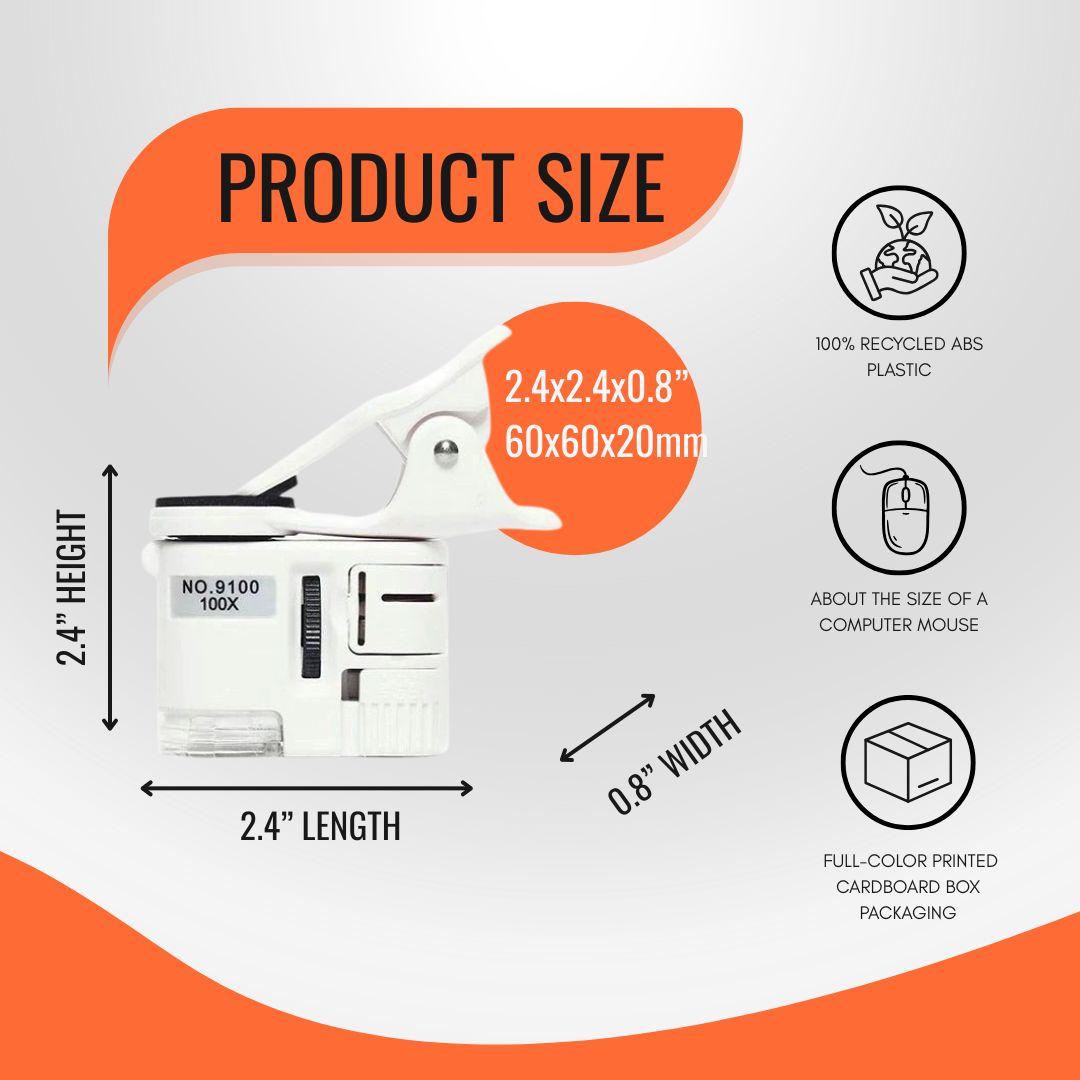
- Size: 60 × 60 × 20 mm / 2.36 × 2.36 × 0.79 in
- Weight: 38 g
- Built-in light: LED illumination for clearer close-up
- Battery: Button cell battery powered
- Compatible devices: Most smartphones with a rear camera area suitable for clip-on mounting (confirm fit with phone case and camera layout)
- Limitation: Not a calibrated measuring microscope; not for certified dimensional metrology
Why Choose Call3D Microscope over Standard Lenses and USB Scopes?
- 2-in-1 universal clip & handheld design: Unlike bulky USB microscopes that require a PC/screen, or basic loupes that can’t take photos, ours clips onto almost any smartphone for quick photo/video tracking. Simply slide off the clip to inspect physical parts directly in your hand—perfect for checking structural cracks, split seams, or surface defects.
- Built-in LED for bed-level observation: Calibration tests are printed flat on the build plate, where overhead room light is blocked, making it too dark to see. Our built-in LED shines light directly onto the sample, illuminating the surface perfectly without needing external flashlights or workshop lamp adjustments.
- Pocket-sized, featherlight, and cordless: Desktop microscopes clutter your workspace with stands and cables. Weighing only 38g, this tiny microscope slips into any toolbox drawer or pocket, staying out of the way until you need it.
Package Includes
1 × 80× phone clip-on microscope
1 × Removable phone clip
1 × Protective storage case or pouch
1 × Cleaning cloth
1 × Quick-use guide
Installation Guide
Explore Precision Upgrades for Your Bambu Lab
FAQs about Phone Clip-On Microscope for 3D Print Flow Rate Calibration
Why do I need a microscope if my Bambu Lab printer already does auto-calibration ?
Automatic calibration works well under standard conditions, but it can struggle with non-standard setups. If you frequently use third-party filaments, swap to high-flow or tungsten carbide nozzles, print with carbon-fiber or wood-fill composites, or use custom slicer profiles, the printer's automated sensors may return sub-optimal values. This 80× microscope allows you to inspect the physical test print yourself and manually dial in perfect extrusion.
How does this help X2D remote-feeding setups?
Because X2D remote-feeding setups do not feature automatic flow calibration, manual calibration tests are mandatory for achieving clean prints. This pocket-sized 80× microscope simplifies the process, making it incredibly easy to examine line consistency, micro-gaps, squeezed corners, and fine ridges on manual test pattern grids so you can select the correct setting in minutes.
How can I make sure this product fits my printer?
A: You can check the compatibility information in our product filters or in the Features section of each item. If you’re still unsure which part is right for your printer model, feel free to contact our support team for confirmation.
How can I track my order?
You will receive a YunExpress order number immediately after your order ships.Use this number to track the package from our warehouse to your destination country.
For the following countries, you will also receive a corresponding local tracking number.Please use the official website of the local carrier for real-time delivery updates:
- United States: USPS
- Germany & Netherlands: DHL
- United Kingdom: Evri
- Spain: CTT
- France: Colis Privé
For all other regions: Only a YunExpress tracking number will be provided (no local carrier tracking available).
What if the tool I purchased doesn’t meet my expectations?
If you’re not satisfied with your purchase, we offer a hassle-free return policy. Just contact our customer support team within 30 days, and we'll help you with the return or exchange process.
Customer reviews
-
Placed my order on February 3rd and received it on February 12th —only 7 business days! Shopping was easy, communication was great, and delivery times were really decent. Very happy with my purchase!
Brad BrockwayEngineering -
Found this shop on Reddit, chatted with a real person about the P2S filter I needed. Asked if they could ship to SG, they checked and made it happen! Super happy because this filter is basically impossible to find locally and always out of stock everywhere else. Fast, friendly, and solved my problem perfectly. Will buy again!
Ok_Government_1125Hobbyist in Singapore -
Bought a ventilation system but changed my mind last minute. I thought returns would be a huge hassle, but they told me there’s a return warehouse in Houston only about a 10-minute drive from where I live in Missouri City. Drove over and returned it super easily. Super convenient return process, great experience overall!
RayRobertProject manager
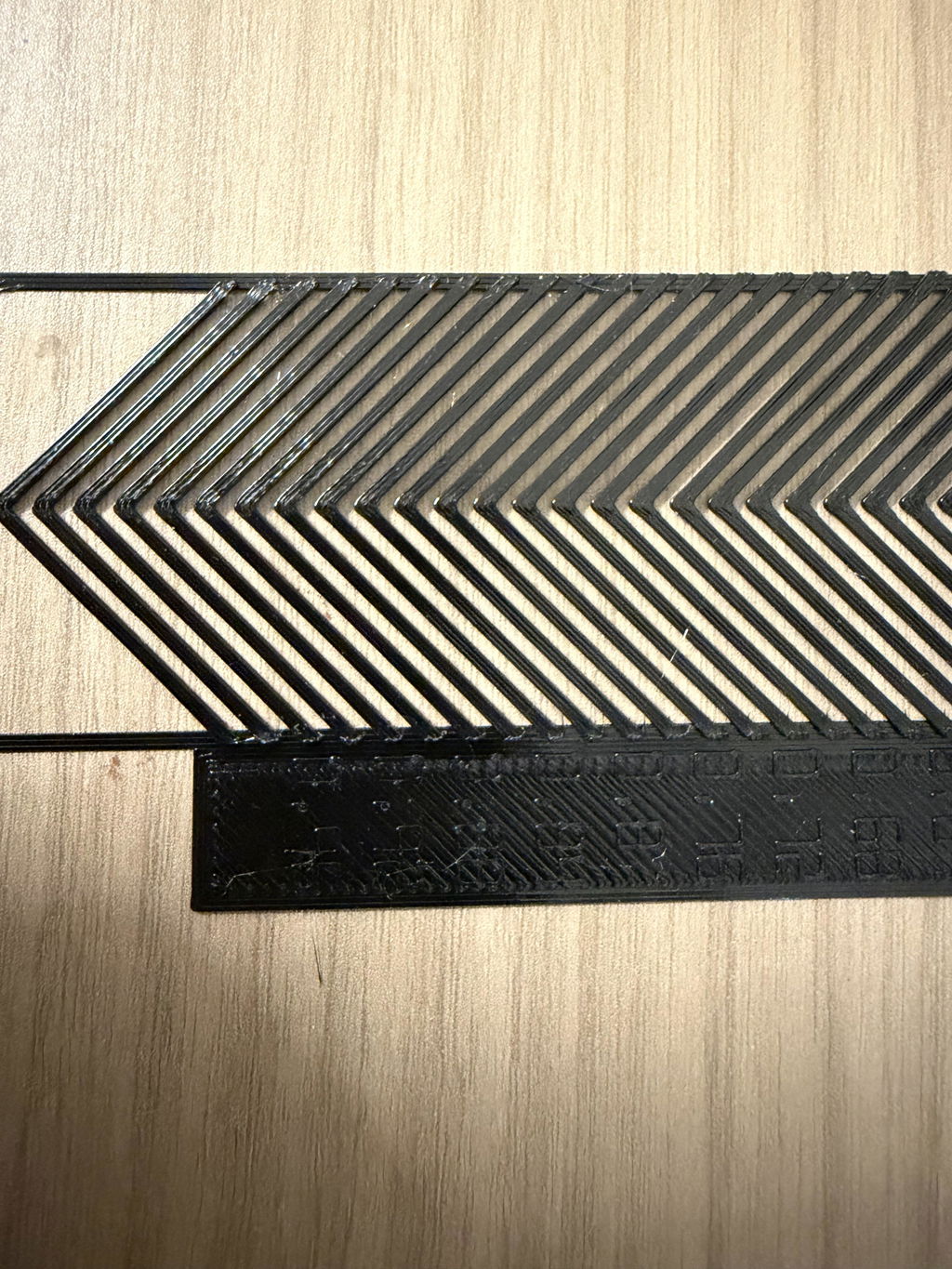
I bought it, and it has been extremely useful. I used it to calibrate the Bowden extruder on my X2D, and the best K value ended up at 0.86. That felt surprisingly high to me, but the microscope made it much easier to inspect the calibration result closely and choose the value based on the actual printed sample instead of guessing.
Yeah, that is a very old-school Bowden-style behavior.
Very useful. It is not just third-party filament that needs checking sometimes even the automatic flow calibration values from Bambu Lab's own system are not accurate for every setup. After I switched to the official tungsten carbide nozzle, the automatic K-value calibration was no longer right for my prints. This microscope turned out to be exactly what I needed. It makes it much easier to inspect the calibration result closely and confirm what is actually happening on the printed sample.
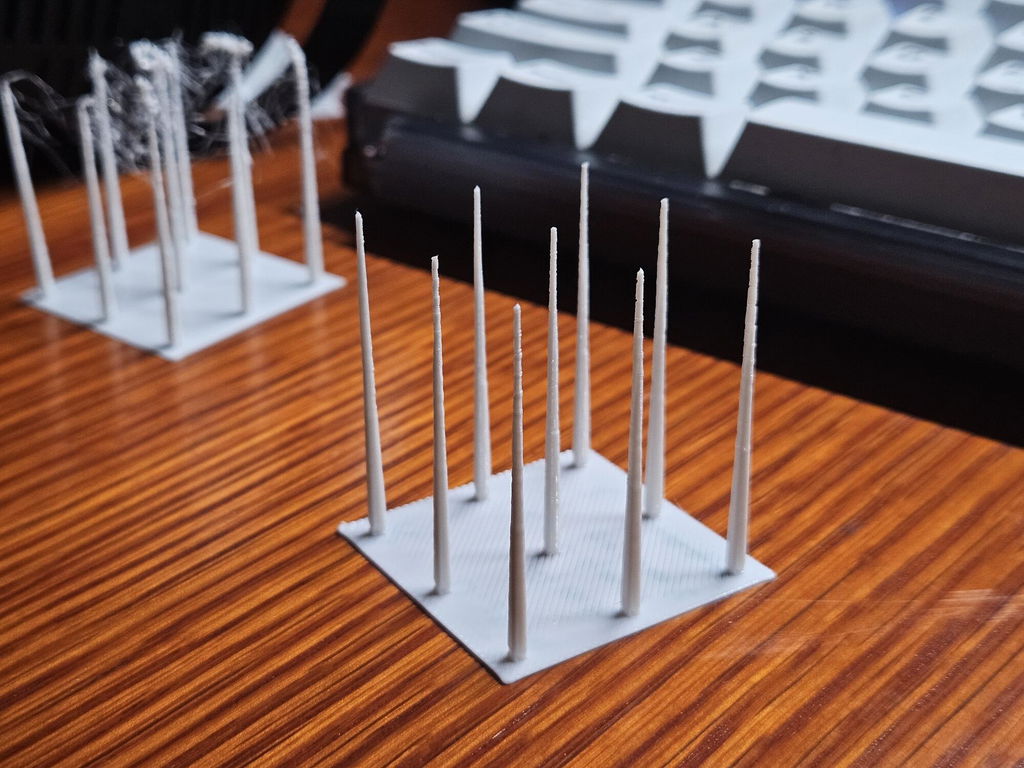
I bought this for my X2D, and after getting it, I spent another full evening tuning retraction. With AliExpress PETG at a 0.2 mm layer height, the print quality is actually good enough that I feel it is no longer limited to support material only. It can be used for some multicolor printing as well. The microscope made it easier to inspect the small details and judge whether the retraction settings were really improving the result.
A full PA tower with the default 0.1 range only takes about 10 minutes, and most ready-built printers use direct-drive extruders with relatively small K values, usually around 0.02-0.05. In many cases, you can print about half the tower, see the 0.05 section clearly, cancel the print, and use that as a reference in about 5 minutes.
That little extra time gives you another way to judge the result. You can not only look at the seam, but also feel it by hand and understand how it changes from overfilled to smooth to under-extruded. After checking the outer seam, you can cut the sample open and look at the inner seam too. Once you find the right height, checking the corner quality at that same height feels much closer to real printing conditions.
If you do not have calipers, a ruler works. If needed, a phone measuring app or even counting layers can help estimate the height.
The microscope is definitely useful, but I would use it even earlier in the workflow: flow calibration. For that step, it is extremely helpful.
My usual process for a new filament is: dry after opening, temperature calibration, flow calibration, K-value calibration, maximum volumetric flow test, XY/Z accuracy calibration for material shrinkage, and then cooling fan tuning for stringing. Third-party filament takes effort if you want perfect results, but if you have the time, it is worth tuning. Otherwise, default settings or original-brand filament can save time.
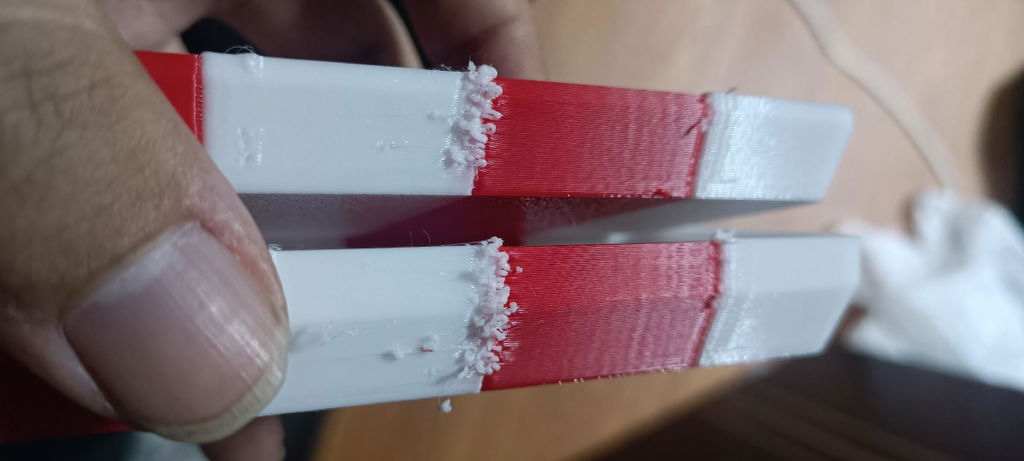
I bought it, but I still needed help troubleshooting. I adjusted the K value, and the photo showed the result before and after the adjustment, but there was almost no visible change. The red print was from the main nozzle, and the white print was from the secondary nozzle. After that, I printed a Benchy test with the same filament. The main nozzle printed normally, but the secondary nozzle had severe stringing. Since this happened on a brand-new machine, while my previous X2D had no issue with the same settings and the same filament, it was really frustrating. This microscope helped me inspect the printed results more closely and confirm that the issue was mainly happening on the secondary nozzle.
The right nozzle may not have enough retraction. Increasing the retraction setting for the right/secondary nozzle could help reduce stringing, especially if the main nozzle works normally with the same filament and settings.
Phone Clip-On Microscope for 3D Print Flow Rate Calibration
- Bambu A1/A2 Series
- Bambu P1S/P1P
- Bambu X1 Series
- Bambu H2 Series
- Bambu P2S
- Bambu X2D
- Other Brand Printer
- Manual override when auto-calibration fails: Solves calibration inaccuracies when switching to third-party hotends, aftermarket nozzles, or alternative filament brands, where automated routines often return sub-optimal results.
- Essential for printers without auto-calibration: Perfect for 3D printer brands and models that lack built-in automatic flow calibration entirely, such as X2D remote-feeding setups.
- Smartphone camera integration: Clamp the microscope over your phone lens to capture ultra-clear macro photos or record video. Perfect for comparing test patterns, logging material profiles, or sharing QC issues with your team.
- Featherlight 38g body: Slips easily into your pocket, toolkit, or printer bag. Bring visual quality control directly to the print bed without bulky desktop equipment.
- Professional surface QC: Effortlessly audit layer lines, seam quality, tiny blobs, pitting, or nozzle scratches before shipping a product or presenting a prototype.
- Magnification: 80×
- Size: 60 × 60 × 20 mm / 2.36 × 2.36 × 0.79 in
- Weight: 38 g
- Built-in light: LED illumination for clearer close-up
- Battery: Button cell battery powered
- Compatible devices: Most smartphones with a rear camera area suitable for clip-on mounting (confirm fit with phone case and camera layout)
- Limitation: Not a calibrated measuring microscope; not for certified dimensional metrology